Visual Inspection
Inspection by eye – tiring and inconsistent.
The studio learns from good parts and displays defects on the error map.
Edition StandardModules: Image Classification, Anomaly Detection
Less scrap, less downtime, faster answers: TransMIT AI Studio analyzes images, machine data, and documents directly on your computer – without AI specialists.
In 70 seconds: What TransMIT AI Studio does for your business – and why your data stays on-premise.
Product video · 1:12 · Find demo videos for individual modules under Modules & Videos
Typical tasks from production and operations – powered by the 14 modules of the studio.
Inspection by eye – tiring and inconsistent.
The studio learns from good parts and displays defects on the error map.
Edition StandardModules: Image Classification, Anomaly Detection
Sensor data accumulates – no one is watching.
Early warning before the machine stops.
Edition StandardModules: Time Series, Anomaly Detection
Which parameter drives scrap?
Prediction and key influencing factors at a glance.
Edition StandardModules: Tabular ML, Anomaly Detection
"Where was that again?"
Ask a question – get an answer with source reference, in seconds.
Edition ProModules: Document Chat, RAG Bundle Builder
Standard AI doesn't know your technical terminology.
Train with your own examples – responds in your specialized language.
Edition StandardModules: LLM Fine-Tuning, LLM Bundle Builder
Your use case not listed? All 14 modules with demo videos →
Operates like an office application – and every training automatically generates the complete Python code.
No data leaves your premises – usable even without internet. GDPR without cloud risk.
Documents, images, measurement data, tables, audio – no tool switching, one interface.
Click instead of code. Those who want it get the Python code – readable and customizable.
Annual subscription or one-time purchase (Perpetual) – both possible. No monthly cloud costs, no mandatory user tracking.
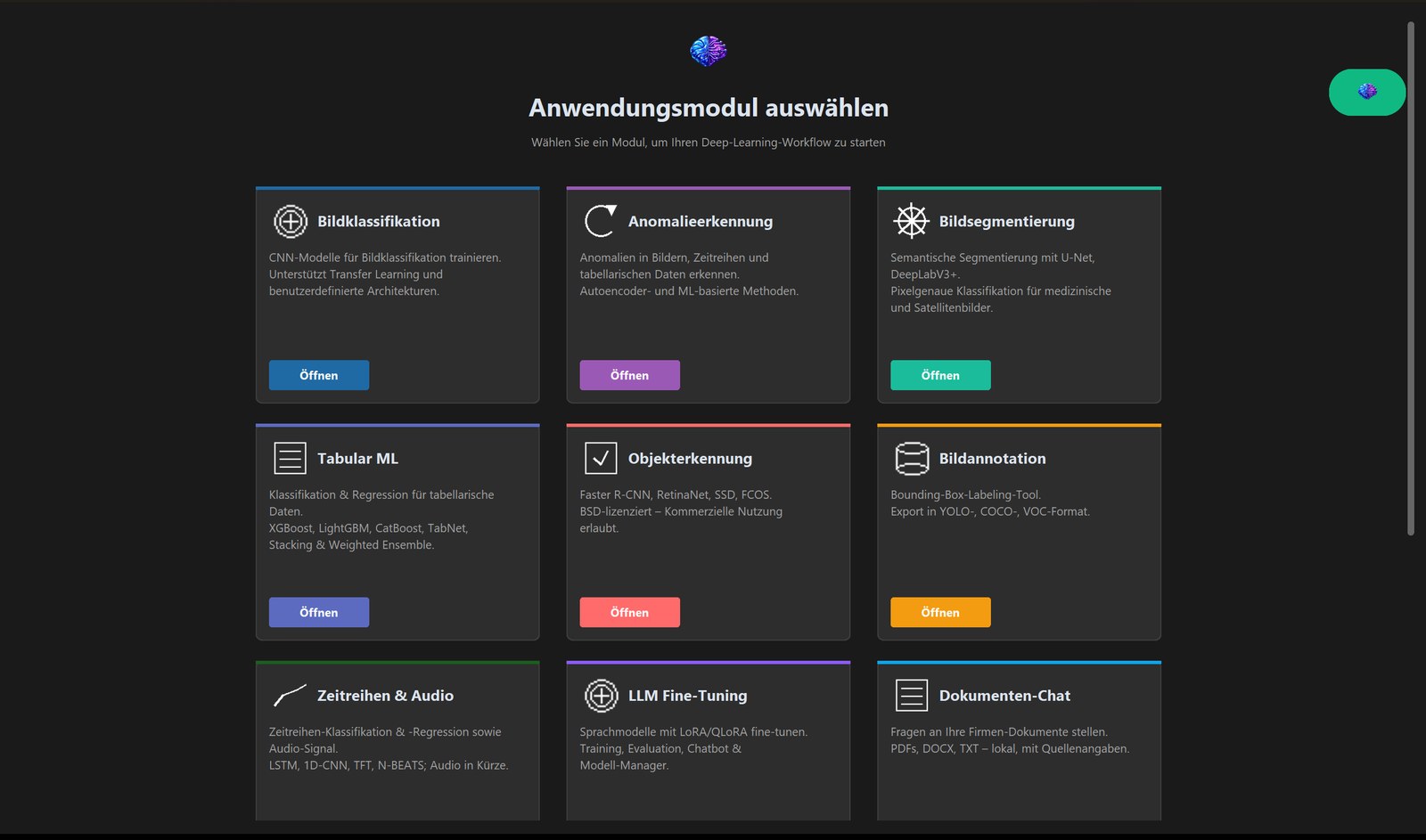
The tools behind the tasks: image, text, time series, audio, LLMs, and edge deployment – structured into specialized modules. Each with a demo video from the actual studio.
Identify good and defective parts in photos – visual inspection on the production line or in goods receiving. Grad-CAM shows what the model focused on.
Detect anomalies in images, tables, and measurement series. Trained only on good examples; the error map shows the location.
Measure areas like scratches, cracks, or pores with pixel precision – even for very small defects.
Teile, Schäden oder Markierungen im Bild finden und zählen. Beispiele markieren Sie mit dem integrierten Annotations-Werkzeug direkt im Studio.
Predict quality from Excel and process data – and see which influencing factors truly matter.
Predict sensor and machine data: temperatures, wear, utilization – early warning instead of downtime.
Detect machine condition from sound – bearings, motors, pumps. From minute 1:30 in the video.
Adapt a language model to your specialized terminology – with your own examples, locally on your computer.
Query your own documents, get answers with source references – manuals, maintenance plans, contracts.
Explains terms, recommends approaches, and helps with model selection – directly in the studio, without data leaving your premises.
Demo video coming soon
Package your customized language model as a simple chat application for colleagues or customers – one file.
Demo video coming soon
Ask questions about images: "Which screw is installed?", "Describe the defect." – Image and language in one model.
Demo video coming soon
Package the document assistant as a standalone application – knowledge base, model, and chat in one file.
Deploy your trained model to the inspection station – six steps to the production line.
Mechanical engineering, electrical engineering, metal, plastics: visual inspection, measurement data, maintenance knowledge.
Find contracts, quotes, supplier agreements by asking – instead of searching.
One tool for many client projects; deliver results as standalone applications.
Complete methodology suite, reproducible through generated code. 50 % academic discount.
Companies that rely on TransMIT AI Studio.

An international technology group whose systems are used in demanding industries for the production, refinement, and testing of advanced materials. Uses TransMIT AI Studio for analysis and classification of production data.
Become part of our growing customer base. Request a demo or a personal consultation.
Inquire nowStandard, Pro, and Business – as an annual subscription (including maintenance and premium support) or as a one-time purchase (including 12 months of updates).
Images, measurement data, tables, audio – the foundation for quality and maintenance.
Standard plus Document Assistant and everything language models need in operations.
Pro plus deployment to the production line and distribution to your customers.
Volume discount: 3 licenses −20 % · from 5 licenses −30 % · Academic license 50 % discount · Site license available · All prices excl. VAT.
Visual inspection, measurement data monitoring, or document assistant – we set up your first use case with your data, train your team, and hand over a running system, including a license for the first year.
For larger companies, we customize the tool: tool adaptations for your use case, module bundles, system integration (databases, ERP, CRM), API & automation, site license with unlimited users.
How the trial works – no credit card, no cancellation required:
We're happy to show you the studio in a 30-minute online demo.
Or contact us directly via email: This email address is being protected from spambots. You need JavaScript enabled to view it.
No. TransMIT AI Studio runs completely on-premise. All computations are performed on your computer, even without an internet connection. No data leaves your premises.
Nothing – the trial license simply expires. If you wish to continue, we'll send you an offer and license key; your projects and models remain intact.
For anomaly detection, 100–200 images of defect-free parts are sufficient – no defect examples needed. For good/bad classification, we recommend 50–200 images per class; the integrated annotation tool helps with labeling.
A standard Windows PC (Windows 10/11, 16 GB RAM). For image training and larger language models, we recommend an NVIDIA graphics card – it's not mandatory. The studio checks before starting whether a model fits your computer.
No. Everything is configured with a click. Optionally, the studio generates readable Python code that you can keep, review, and customize.
Premium Support includes a 90-minute onboarding session. With the pilot package, we set up your first use case together with you.
Yes – it's part of the Pro edition. If you only need this use case, ask about the pilot package at a fixed price.
Installation: 15 minutes. First Document Assistant with your own documents: under an hour. First visual inspection with 100 images: one afternoon.
Annual subscription: always the latest features, maintenance and premium support included, flexible switching between editions, OPEX budget. One-time purchase: one-time investment (CAPEX), 12 months of updates included, maintenance contract optional afterward. Switching is possible upon request.
Yes. With the Business package, we offer custom integrations – database connectivity (SQL, NoSQL), ERP or CRM integration, and API access.